
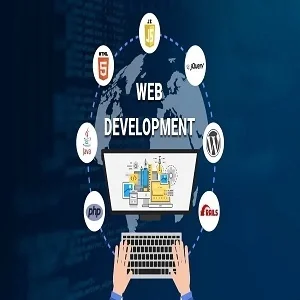
Web development starts with understanding how browsers interpret HTML, CSS and JavaScript.
Understand the fundamentals
Use semantic HTML for structure, CSS for presentation and JavaScript for interaction. Learn responsive layouts and test pages at different screen widths.
Build practical skills
Practise forms, navigation, accessible labels, keyboard focus, image optimisation and basic performance. Use browser developer tools to inspect layout and network issues.
Put your learning into practice
Build a small multi-page website and check it on mobile and desktop. Include meaningful headings, working links and descriptive image alternatives.
Explore relevant learning options at KITI and ask for guidance about the current syllabus, schedule and course prerequisites.
HTML gives a page its structure
Use semantic elements to describe headings, navigation, main content, sections, forms and buttons. Good structure improves accessibility and makes pages easier to maintain. Every form control should have a visible label, and interactive elements should work with a keyboard. Use headings in a logical hierarchy rather than choosing them only for their visual size.
CSS controls layout and presentation
Learn the box model, flexbox, grid, responsive units, media queries and reusable classes. Test layouts at narrow and wide screen sizes. Avoid fixed widths that cause horizontal scrolling. Give images explicit dimensions or aspect ratios to reduce layout shifts, and compress images to a suitable format such as WebP where it makes sense.
JavaScript adds interaction
Practise variables, functions, arrays, objects, events, DOM updates, validation and asynchronous requests. Use browser developer tools to inspect errors and network requests. Make interactive controls accessible, show clear loading and error states, and do not rely only on client-side validation for important data.
Build a small multi-page website
Create a home page, course or service page, contact form and a useful detail page. Add descriptive page titles, unique descriptions, meaningful internal links and accurate image alternatives. Test links, forms, mobile navigation and performance. This foundation makes it easier to learn React, backend development and a full stack framework later.